
Orders and payments
Point of sale with multiple payments linked to the same order.
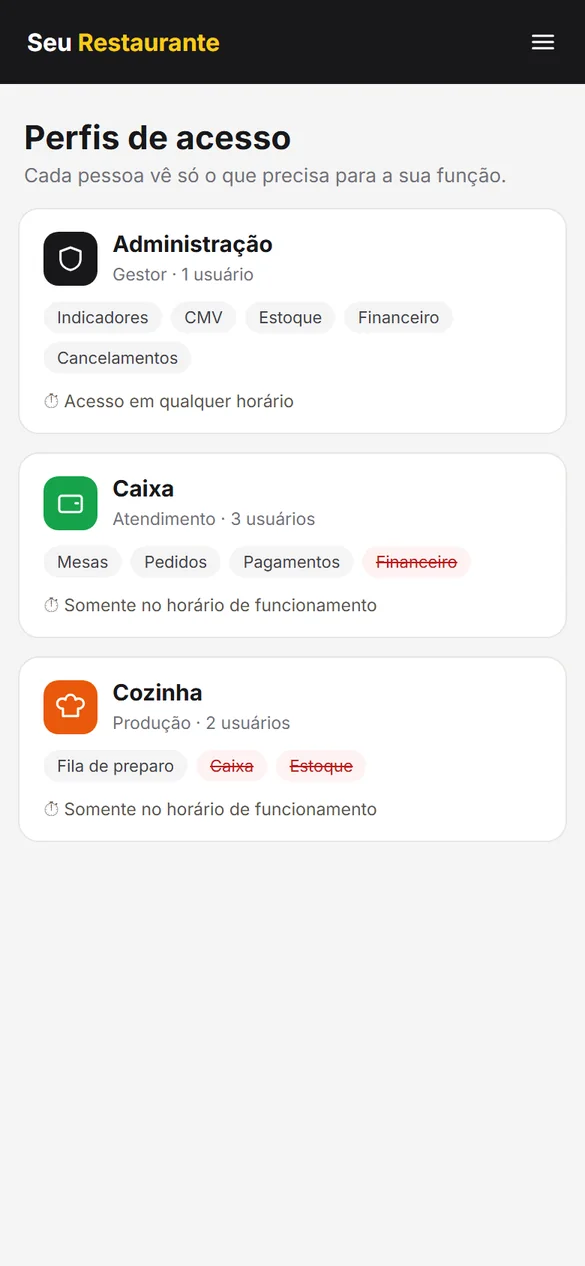
Access profiles by role and by schedule, with COGS in management and a dedicated kitchen screen.
@villamilltambore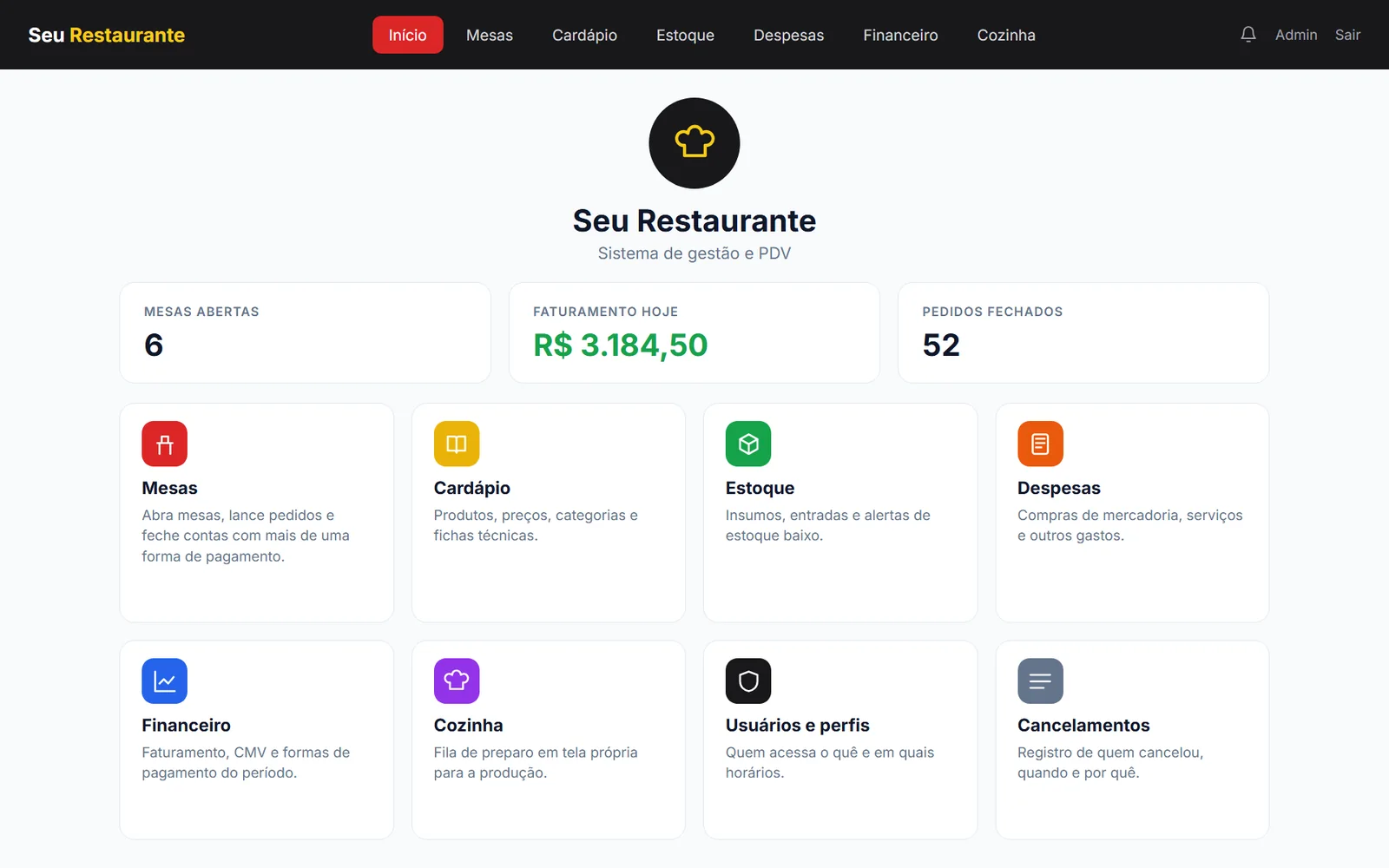
Connect the dining room and kitchen in the order flow, with ingredient control, multiple payment methods and traceable cancellations.
Point of sale with multiple payments linked to the same order.
Production queue in a separate area. The kitchen profile is restricted to this screen, with no access to other areas of the system.
Recipe sheets connected to stock deduction.
Cost of goods sold tracking connected to recipes and ingredient consumption.
Management, cashier and kitchen have their own profiles: each person sees only the areas of their role, and financial or administrative areas stay out of the operation’s reach.
Outside business hours, the system blocks access and shows the allowed hours for each day.
Cancellation records for administrative follow-up.
Results presented as delivered capabilities. There are no published quantitative indicators or testimonials for this project yet.
System home with open tables, daily revenue and modules for tables, menu, inventory, finance, kitchen and users
Access profiles: management, cashier and kitchen, each with its own areas and hours
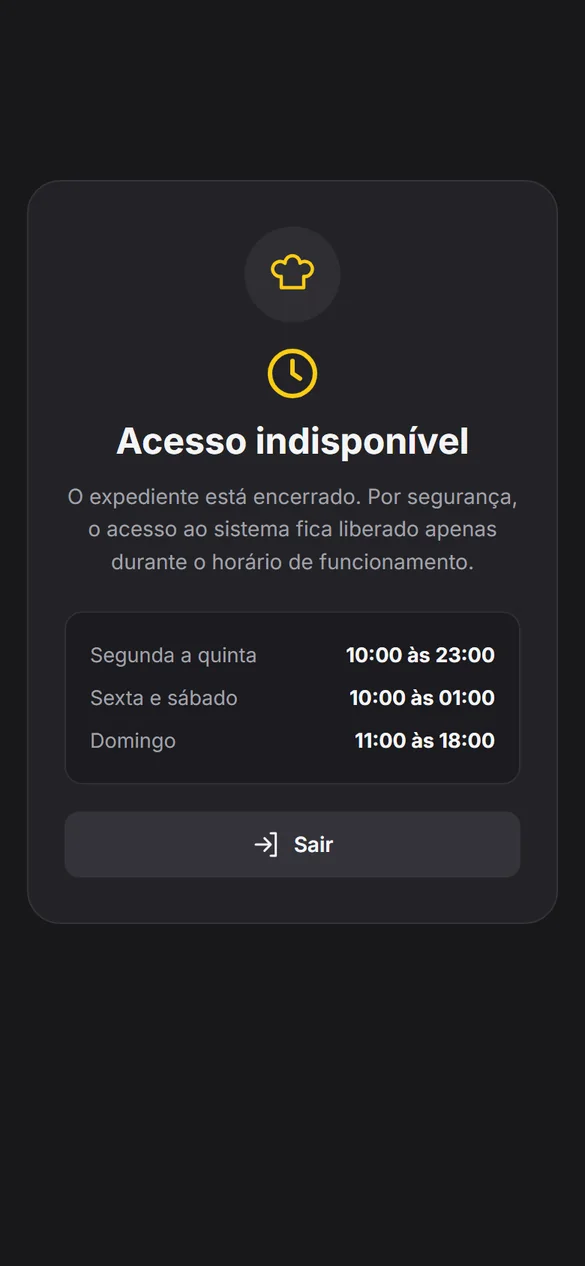
Access blocked outside business hours, showing the allowed hours for each day
Screens recreated with fictitious data to protect client information.
What the kitchen sees doesn’t have to be what the cashier or management sees.
At Villa Mill, the kitchen profile is restricted to its production screen, separate from other areas.
Illustrative representation of the documented profiles; this is not a session in the client’s system.
Being prepared
In our food service projects, COGS connects costs, supplies and management. What does that look like in your numbers?
Use values from the same period. The starting numbers are only an example, not client data.
COGS = opening inventory + purchases − closing inventory
This balance is not profit: salaries, rent, taxes and other expenses still apply. There is no single ideal percentage for every business.
I want to understand my costsIllustrative period COGS simulation; it does not reproduce the recipe- or flavor-based calculation used in the projects. Values are not saved or sent while you type. When you open WhatsApp, only the result goes with your message.